
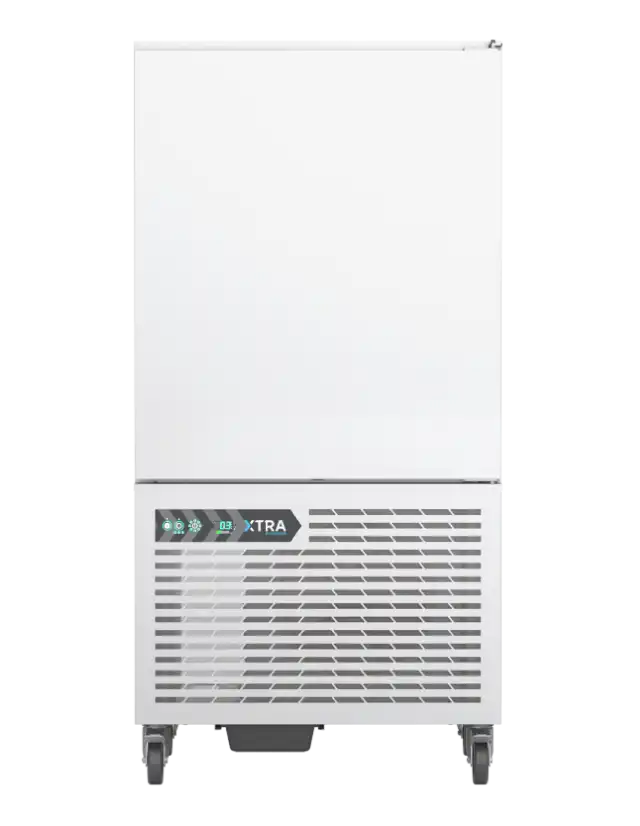
Foster blast chillers
Xtra XR20 (20 kg) and XR35 (35 kg) , among others. Foster units are widely used in UK restaurants for their reliability and have digital controllers with coded alarms.
Common Faults & Error Codes: Foster blast chillers share many error codes with their refrigeration cabinets. Notable examples include:
- High Condenser Temperature / High Pressure – Displayed as
“hP”on Foster controllers, indicating the condenser is running too hotbecoolrefrigeration.co.uk. This often results from a dirty condenser coil or failed fan, leading to high discharge pressure. - High Cabinet Temperature – Shown as
“h1”(room high temp alarm) if the storage compartment goes above safe levels. It can occur if the blast cycle fails to bring food to 3 °C in the required time or if ambient temperature is excessive. - Low Temperature Alarm – Displayed as
“Lo”if the cabinet temperature drops below the set threshold (e.g. in storage mode). This might happen if the thermostat is set too low or a probe reads incorrectly. - Probe Failures –
E1orE2codes indicate a temperature probe fault (T1 or T2 sensor failure). For instance, E1 corresponds to the cabinet (air) sensor failing, and E2 to the evaporator coil sensor failure. In newer Foster models, a flashing“PF1”or“PF2”may also denote probe faults (as seen in generic controllers)becoolrefrigeration.co.uk.
Diagnostic Procedure: When a Foster blast chiller displays an alarm code, follow these steps:
- High “hP” Alarm: This means the condenser is too hot or the high-pressure switch tripped. Inspect the condenser coil for dust or grease buildup and clean it thoroughly (power off first). Ensure the condenser fan is running and that the unit has proper ventilation. High ambient temperatures (over ~40 °C) can also trigger this alarm. Once the condenser is cleaned and cooled, reset the alarm (by cycling power or using the controller’s reset) – the code should clear if the condition is resolved. If
hPpersists, a technician should verify refrigerant pressures and check for a faulty pressure switch. - Temperature Alarms (h1 / Lo): A
h1high-temp alarm during a blast cycle suggests the chiller couldn’t pull down to the target temperature in time. Check if the load exceeds the chiller’s capacity (too much hot food), or if the door was opened during the cycle. Ensure the blast chiller is not overfilled or overloaded, as that can slow cooling. For aLolow-temp alarm in holding mode, it could indicate the set storage temperature is too low or a thermostat issue. Verify setpoints and adjust if needed. Clearing these alarms usually just requires acknowledging them once conditions normalize (most controllers auto-reset when temp returns to safe rangemetos.commetos.com). - Probe Error (E1/E2): If a probe failure code appears, the chiller may enter a safe mode. For example, with an air sensor failure (E1), many Foster units will cycle the compressor on and off at fixed intervals to preserve food until service. Check the sensor connections – a loose or damaged probe can trigger this. If you have a spare temperature probe of the same type, you can temporarily replace it to test. Otherwise, you’ll need to order a replacement sensor. In the interim, Foster’s controller logic may allow running a timed cycle (instead of temperature-based) until the probe is fixed. After replacing the faulty probe, restart the unit and the error code (E1/E2) should clear automatically when the controller detects the new sensor.
Troubleshooting Tips:
- Always verify the basics: that the unit has power, the display is not in standby (
OFFmode), and the door is fully closed (Foster units have a door alarm“do”as well). A door ajar will cut out the fans/compressor on some models. - Keep the condenser clean and unobstructed. Foster manuals recommend routine cleaning to prevent high-pressure issues – a common cause of
hPalarms. - If multiple alarms occur or the unit behaves erratically, consider a controller reset. Some Foster blast chillers have a reset switch or you can power-cycle the unit. After reset, monitor if the error reoccurs, which confirms it’s not a transient glitch.
- Consult the manual: Foster provides detailed error code charts (often on a sticker or in the manual) – for example, codes like
cLfor condenser clean reminder. Following the official guide ensures you apply the correct remedy for each code.
Sources & Manuals: Foster’s official documentation and error code guides are available for reference. For instance, Be Cool Refrigeration’s guide lists common Foster fridge/chiller error codes. Technicians can also refer to the Foster Blast Chiller Service Manual (available via Foster dealers) for in-depth troubleshooting. Always ensure you have the correct manual for the model – e.g., Foster Xtra series may have a different controller than older Foster models. (If publicly available, links to Foster’s manuals or technical bulletins can be provided here.)